Compiling and Running APIs
Simple case
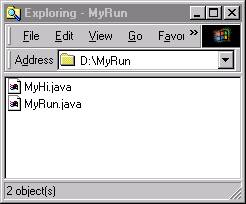
Suppose that we have a file called MyRun.java, which calls another class in a file called MyHi.java. Here are the two files within the operating system:
MyRun.java is as follows:
package com.kostas;
import com.kostas.MyHi;
public class MyRun{
public
static void main(String[] args){
System.out.println("MyRun");
MyHi
hi = new MyHi();
hi.print();
}
}
and MyHi.java is as follows:
package com.kostas;
public class MyHi{
public
void print(){
System.out.println("hi");
}
}
The line package com.kostas; will create a series of directories where the class files will be put in. To do so we need to compile the two files we type (at the dos-prompt) with the –d . option (which means put classes in directories starting from the current directory “.”:
javac -d . *.java
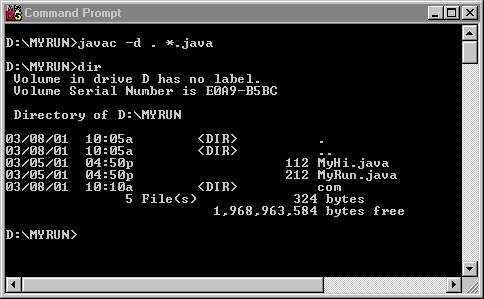
and to run we type
c:\jdk1.3\bin\java com.kostas.MyRun
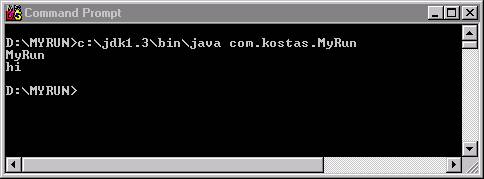
The reason we refer to MyRun as com.kostas.MyRun is because it is stored in that directory. The dot is the same as the / or \ and shows the directory structure. If the compiled package com/kostas/MyHi.class was in a folder called hi then to run we would need to type:
c:\jdk1.3\bin\java -classpath ".;hi" com.kostas.MyRun
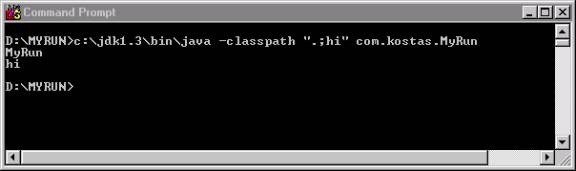
The reason is that we need to include the classpath, that is, the location within the operating system that tells us where the classes are. Inn this case we include both dot (.), which is the current directory and hi, which the directory where the MyHi.class resides. Both classpaths are separated by a semicolon (;).
Jar packages
To jar the com folder we need to type the command:
jar cvf my.jar com/kostas/*.class
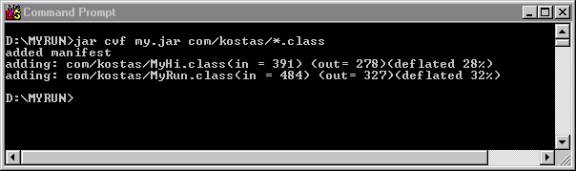
This would produce a file called my.jar.
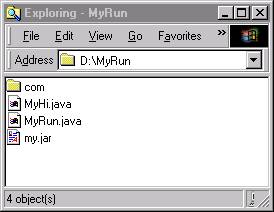
To run we would need to type:
c:\jdk1.3\bin\java -classpath ".;my.jar" com.kostas.MyRun
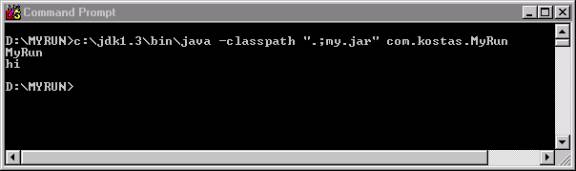
and if the my.jar file was in a folder called jars
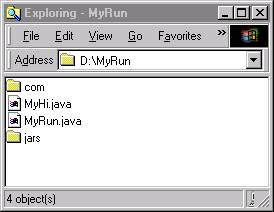
we would need to type:
c:\jdk1.3\bin\java -classpath ".;jars/my.jar" com.kostas.MyNewRun
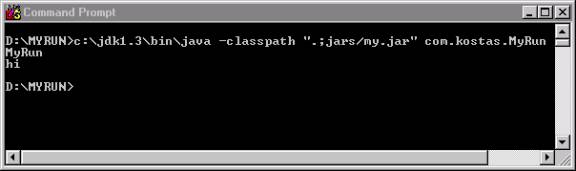
So a jar file can contain all the classes of a project and we can get access to them by simply including it in the classpath. These method of incorporating methods and classes without necessarily providing the source code is called API (for Authoring Programming Interface). Software companies provide them as packages that people download. For example all extensions to java (swing, security, etc.) are provided as APIs.