18.2
Leaving a
Trace while Transforming
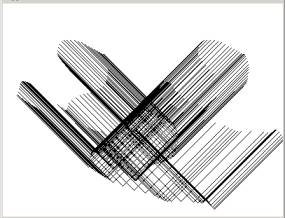
So far we have seen the screen being redrawn every time we call the paint method. This can be controlled to allow us to decide whether we want the screen to be refreshed. By default, the paint(Graphics g) method, when called, erases everything in the screen and then redraws anything under the g.drawSomething( ) category. There is another method called update(Graphics g). When that is called the screen is not erased so that the new graphics are superimposed over the old ones. Here is the code:
//*****************************************
public
void paint(Graphics g){
shape.draw(g);
}
//*****************************************
public void update(Graphics g){
paint(g);
}
Here is the visual effect:
19. Creating Grids of Shapes
In the code under simple.java we have created a V-like shape that we constructed by explicitly creating 4 points, then two segment and then one shape. What if we want to construct a grid of 20x20 pentagons? Do we have to create all the points, then all the segment, and then all the shapes. It would take lines and lines of code and most of it would be repetitive patterns. Maybe instead we can create an easy method of constructing circular polygons and call that repetitively within a loop. Since we already have constructed a method for computing points around a circle lets use it. Here is what we have:
//*****************************************
public Polygon makeNormalPolygon(int nsides){
int[] xArray = new int[nsides];
int[] yArray = new int[nsides];
//divide the full circle in nsides sections
double angle = 2 * Math.PI / nsides;
for(int i =0; i<nsides; i++){
xArray[i] = (int)(100. + 50. * Math.sin(angle*i));
yArray[i] =
(int)(100. + 50. * Math.cos(angle*i));
}
Polygon p = new Polygon(xArray, yArray, nsides);
return p;
}
We need to construct something that we can pass to the main program as:
shape = new
MyShape(numSides) ;
or to be more general:
shape = new MyShape(numSides, radius, xcenter,
ycenter) ;
This must then be an alternative constructor of a shape that would look like this:
//*********************************************
public MyShape(int numSides, double radius, double xoff, double
yoff){
numSegments = numSides;
segs = new MySegment[numSegments];
//divide the full circle in nsides sections
double angle = 2 * Math.PI / numSegments;
// create two points to store the segment points
MyPoint p = new MyPoint(0.,0.);
MyPoint pnext = new MyPoint(0.,0.);
// loop to assign values to the points
for(int i =0; i<numSegments; i++){
p.x = xoff +
radius * Math.sin(angle*i);
p.y = yoff +
radius * Math.cos(angle*i);
pnext.x = xoff + radius * Math.sin(angle*(i+1));
pnext.y = yoff + radius * Math.cos(angle*(i+1));
segs[i] = new MySegment(p, pnext);
}
}
This constructor can co-exist in the same MyShape class. It will be distinguished by the number and sequence of the parameters (the older constructor had only two parameters). The first thing we do here is to assign the number of sides and to allocate memory for the segs array:
numSegments = numSides;
segs = new
MySegment[numSegments];
Then, we divide the full circle in sections:
double angle = 2 * Math.PI
/ numSegments;
Then we create two points p and pnext where we will put the two points necessary to create the segments. We initialize them to 0. Then we loop and we compute the points around the circle and for each one we also compute the one ahead (we need them to create segments).
for(int i =0;
i<numSegments; i++){
p.x = xoff +
radius * Math.sin(angle*i);
p.y = yoff +
radius * Math.cos(angle*i);
pnext.x = xoff + radius * Math.sin(angle*(i+1));
pnext.y = yoff + radius * Math.cos(angle*(i+1));
segs[i] = new MySegment(p, pnext);
}
Once we compute a point and the next we pass them to the MySegment and that constructs a segment which is then assigned to the member segs, one at a time:
segs[i] = new MySegment(p, pnext);
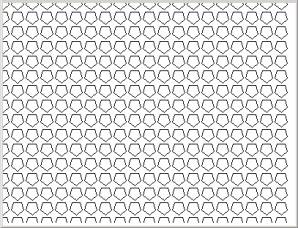
That’s it. All we need to do now is to create a 20x20 grid of pentagons in the main code:
for(int i=0; i<20; i++){
for(int j=0; j<20; j++){
shape[i*20+j] = new MyShape(5,10.,i*20., j*20.);
}
}
group = new MyGroup(20*20, shape);
The result is: